Tuesday, December 6, 2011

Aircel Launches BlackBerry Bold 9790 in India

0 comments
            India’s 5th largest mobile service operator AIRCEL launched BlackBerry Bold 9790 with exclusive offer of FREE Unlimited BlackBerry Service upto 2 months for its postpaid and prepaid subscribers at Rs. 27490.

AIRCEL’s prepaid and postpaid subscribers who purchase the new BlackBerry Bold 9790 from Aircel stores will get the smartphone under the benefits of exclusive tariff plan wherein the monthly service charges for BIS299 Plan will be waived off for first 2 months from the date of activation/purchase.

However from 3rd month, the regular BlackBerry plan charges (Rs.299 per month) will be applicable to continue with the service.

Apart from the Free BIS subscription offer, AIRCEL also setup NFC (Near Field Communication) Zones exclusively in selected AIRCEL Stores wherein its BlackBerry Bold 9790 users can download 20 mobile apps for free simply by tapping their device on SmartPoster tags.


For HDFC Bank and ICICI Bank Credit card holder, AIRCEL and RIM started a ‘Easy EMI Offer’ under which you can buy BlackBerry Bold 9790 in 6 easy interest free installments only at selected Aircel stores. The EMI option is subject to sole approval and acceptance of the respective banks.

Continue reading →

BlackBerry Mobile Conferencing - New Apps

0 comments
         BlackBerry Smartphone maker Research In Motion (RIM) today makes it even easier for customers to manage conference calls on their BlackBerry smartphone with the release of BlackBerry Mobile Conferencing version 2.0.

This innovative and popular free app includes a number of enhancements, such as the ability to automatically turn an email thread into a conference call using the user’s conference bridge details.

BlackBerry Mobile Conferencing automates tedious and error prone tasks such as dialing into a conference call that could include multiple main numbers, a conference ID and other codes, with a simple one-click “Join Now” prompt, as well as the ability to quickly reconnect if dropped from a conference call.

The app also integrates with the BlackBerry Calendar allowing users to quickly and easily schedule and join conference calls directly from within the Calendar. Users can download BlackBerry Mobile Conferencing on BlackBerry App World, and organizations can automatically push the app to their users through BlackBerry Enterprise Server.


New features of BlackBerry Mobile Conferencing version 2.0 include:

Turn An Email Thread into a Conference Call – BlackBerry Mobile Conferencing helps users instantly schedule a conference call from an email thread, with just a few clicks. The sender and recipients of the email are included as meeting attendees, the email subject becomes the user’s meeting subject and part of the email message is automatically copied into the invite for reference. Users can also add conference call details from a stored profile.

Automatic Detection of Conference Call Details – Conference call information found in meeting invites in any calendar on the user’s BlackBerry smartphone is automatically recognized and set up for easy dial-in at the appointed time, helping the user stay organized and on time. In version 2, the engine that recognizes conference call details has been enhanced for improved accuracy.

Conference Call ID - Users can more easily keep track of the conference calls they’ve participated in. When the user joins a conference call, the meeting subject appears as the caller ID in the BlackBerry phone app. When the call is completed, the meeting subject appears in the user’s call log.

Conference Profiles Increased to 10 – Users can instantly add preset conference call details to almost any meeting they schedule by selecting from up to ten stored profiles.

Private Moderator Codes – Users can also keep moderator codes private. Invites sent using a preset conference profile include just the information participants need to join the call. If conference information found in a meeting invite is the user’s, the app accesses the stored profile to dial the user in as the moderator. The feature allows a meeting organizer to leave out the moderator code in an invite for privacy, without sacrificing the convenience of “Join Now” as the moderator, when the call arises.

BlackBerry Mobile Conferencing can detect conference call details from most popular conferencing systems on the market and supports BlackBerry smartphones running BlackBerry 5 OS or higher.

It is now available for download on BlackBerry App World. For more information, please visit blackberry.com/mobileconferencing.

Continue reading →
Sunday, November 20, 2011

iPhone 4S Price in India

1 comments
     iPhone 4S coming is to India, which is really a great news for all fans waiting for this device. Airtel and Aircel is planning to bring the device to India and launch it on 25th November. But there was uncertainity about the pricing of it. There were rumors that the higher end model price could touch almost 50K INR which is on a higher side. But now even before the release, Airtel has confirmed the prices of iPhone 4S in India.

iPhone 4s price in India

The iPhone 4S is available in both white and black and the prices are as follows;
  • iPhone 4S 16GB version- 44500 INR
  • iPhone 4S 32GB version- 50900 INR
At this price, the phone not affordable for many and seriously disappointing for all iPhone Fans in India. We too think the prices are too high and not worth the investment. There are also reports that the iPhone 4 refurbished version would be released in India for 22000 (approx). So are you getting the iPhone 4S ?

You can pre-order the iPhone 4S from Airtel.

Continue reading →
Wednesday, November 16, 2011

Freemake Video Downloader 3, Download Streaming Video from Over 10,000 Sites

0 comments
                     Freemake released freeware Video Downloader 3.0 which lets you download an online video from over 10,000 sites (includes support for download of videos from porn sites also), this downloadable video can be embedded on a site or hosted on video sharing sites like YouTube , Facebook,Vimeo,TubePlus, Dalilymotion, Veoh, Megavideo, and 10,00 0 other sites. Hulu, Netflix, YouTube RTMP and on-demand video sites are not supported.


Using Freemake Video Downloader

Freemake added Facemoods toolbar to this program which aids to continue the development of this freeware which you can avoid installing by selecting “Parameters Settings” and uncheck for “install Facemoods toolbar” during install.
This programs supports Firefox and Chrome browsers, adds plug-ins for these browsers after installation, program icon appears on toolbar in Firefox and Chrome to initiate download from sites.

Whenever you want to download streaming video from YouTube or other supported sites, click on icon as Freemake Video Downloader prompts to choose the Download format in a pop-up window MP4 selected by default, after selection choose the action from only download, extract original audio and Convert to, click download button to save downloaded video to My Videos folder in your Computer.


This program offers the options to hide saved porn videos and thumbnails of these video on the program from being seen by children. Parents can set restrictions for video content by enabling parental controls and they need to enter passwords to lock adult sites.


Download Freemake video Downloader 3.0 (it’s an online installer).

Continue reading →

RIM Unveils BlackBerry Bold 9790 and BlackBerry Curve 9380

0 comments
            BlackBerry Smartphone maker Research In Motion (RIM) today announced two new smartphones the BlackBerry Bold 9790 and BlackBerry Curve 9380 each based on the BlackBerry 7 operating system (OS).

The BlackBerry Bold 9790 is both powerful and compact, offering users a fully loaded, high performance smartphone with the dual benefits of a high resolution touch display and a highly tactile keyboard. The BlackBerry Curve 9380 is the first-ever BlackBerry Curve smartphone with a touch display.

BlackBerry Bold 9790 Smartphone with Touch Display and Keyboard :

True to the BlackBerry Bold brand, the new BlackBerry Bold 9790 smartphone is powerful, full-featured and built with premium materials and finishes. It combines a high-resolution and highly responsive touch display with a highly tactile keyboard and a precise optical trackpad, but comes in a narrow design that is easy to carry and exceptionally comfortable to hold.

With the BlackBerry 7 OS and powerful 1 GHz processor, the BlackBerry Bold 9790 delivers fast, smooth performance for browsing the web, running apps, working with documents, and enjoying multimedia. It includes 8GB of onboard memory and an expandable memory card slot that supports up to 32 GB of additional storage.

All-Touch BlackBerry Curve 9380 Smartphone :

The finely crafted BlackBerry Curve 9380 is the first all-touch smartphone in the BlackBerry Curve family. It features a highly responsive and brilliant 3.2” high resolution display and comes with preinstalled social networking apps, including BBM (BlackBerry Messenger), Facebook, Twitter and Social Feeds apps, that offer a fun, easy and smoothly integrated mobile experience.


This compact and stylish handset also features a 5MP camera with flash and video recording, allowing users to easily capture and share their favorite moments with family, friends and colleagues.

Availability : The BlackBerry Bold 9790 and BlackBerry Curve 9380 smartphones will begin to be available from various carriers around the world over the coming weeks. Availability dates for specific devices from specific carriers will be announced in conjunction with RIM’s partners.

Continue reading →
Monday, November 14, 2011

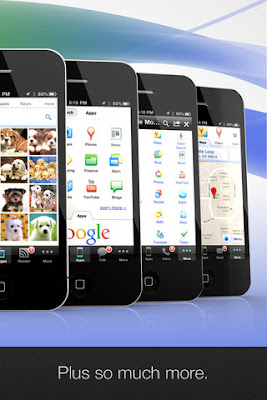
Get the Google Apps browser on your iDevices!

0 comments
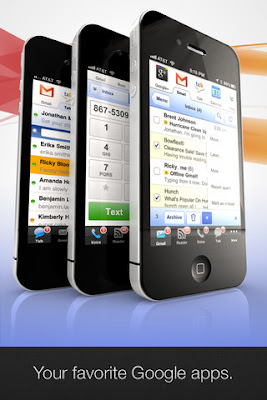
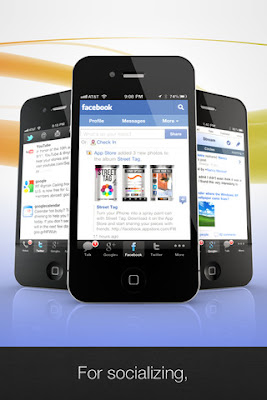
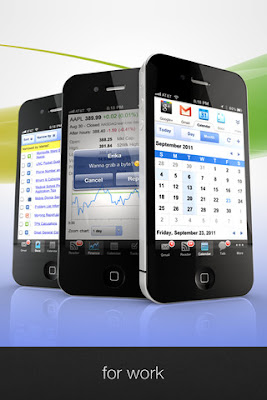
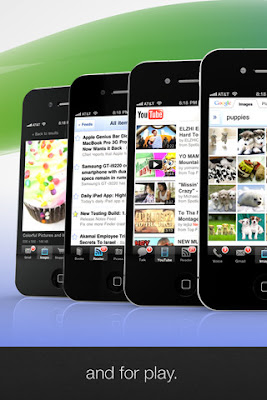
       This is the fastest way to use all your favorite Google apps on your iDevices, including Gmail, Google Talk, Voice and Reader, as well as, Facebook, Twitter, and Google+!

GOOGLE APPS BROWSER


✔ Connect with friends on Google+
✔ Get fast access to all your favorite apps
✔ Find new apps fast using Apps search
✔ Use with any Gmail or Google Apps account
✔ View badges for Gmail, Reader, and Voice
✔ Receive chat alerts for Google Talk
✔ Get push notifications via Prowl
✔ Send free text messages
✔ Chat with your friends
✔ Check your Gmail
✔ Watch YouTube videos
✔ Find cool pics with Image search
✔ View your favorite photos in Picasa
✔ Follow your favorite sites with Reader
✔ Open links in our quick view browser
✔ Post to Instapaper, Read It Later or Twitter
✔ Access your Google docs anywhere, anytime
✔ Discover the perfect restaurant with Places
✔ Track your schedule with Google Calendar
✔ Share interesting stuff with Google Buzz
✔ Stay up to date with Google News
✔ Keep in touch using Facebook
✔ Follow your friends on Twitter
✔ See search results as you type
✔ Get things done with Tasks
✔ Translate text instantly
✔ Get driving directions
✔ Find great deals with Product search
✔ Read books for free with Google Books

WHAT APPS ARE INCLUDED?
★ Gmail ★ Talk ★ Reader ★ Voice
★ Facebook ★ Twitter ★ Buzz ★ Google+
★ News ★ Calendar ★ Docs ★ Apps
★ YouTube ★ Picasa ★ Images ★ Myspace
★ Search ★ Tasks ★ Books ★ Finance
★ Maps ★ Translate ★ Places ★ Shopping

★ NOTE: Google Voice works best on iPhone devices - it's not optimized for iPod or iPad.


Get the Google App Browser from here! [iTunes Link]
Continue reading →

Aircel launching the iPhone 4S in India on Nov 25th

0 comments
         Aircel has now announced a date for it’s iPhone 4S launch. The operator just shared on it’s Facebook page that it is launching the iPhone 4S in India on Nov 25th. Yesterday Aircel and Airtel announced they are launching the iPhone 4S in India soon.


   We guess Aircel (and Airtel) might announce their pricing ( and weird money back plans ) on the 25th. We don’t have any details about the pricing but should have some info soon. The iPhone 4S packs a Dual Core CPU , 8MP Camera with Full HD video recording and the interesting virtual assistant Siri.

Looks wise its almost same as the previous iPhone – the iPhone 4S . The device runs on iOS 5 which is the latest operating system for iPhone , iPad and ipod Touch.

Pre-booking for iPhone 4S starts on Nov 18th according to Aircel.

Continue reading →

India Has 346 Million Mobile Internet Subscribers, Airtel Leads

0 comments
    According to the latest report by telecom watchdog Telecom Regulatory Authority of India (TRAI), India has 346.67 million active Mobile Internet Subscribers (GPRS/2G/3G/CDMA-Data) as on June 2011.

India has total 851.70 million wireless/mobile (GSM + CDMA) subscribers at the end of Jun-11 and 40.70% of total wireless subscribers base are capable of Accessing GPRS (2G/3G) Data Services/CDMA Internet at the end of June, 2011.

India’s largest mobile service provider Bharti Airtel has maintained pole position among Indian mobile operators with 131.38 million active data subscribers (2G/3G). While National Telecom Backbone and state run telecom operator Bharat Sanchar Nigam Limited (BSNL) comes in second with 69.27 million and Vodafone has 3rd position with 63.69 million mobile Internet subscribers.

Here are the mobile service operator-wise details :


Continue reading →

iPad Simulator for Windows- iPadian

0 comments
            iPad is the most popular tablet currently available and its interface and iOS is very popular. If you haven’t used the ipad and want to try out how the OS works, then here is an iPad simulator for Windows. iPadian is a freeware and portable app which can simulate ipad interface on Windows.

The app does not require any installation and you can directly run the exe file and it runs full screen on your desktop. It comes with its own app store and you can install quite a few apps in various categories and there are many app which are pre-installed on the UI.

iPad simulator

Once you run the app, you can see lots of installed apps on the desktop and it looks very similar to iPad in action with a dock at the bottom which has Safari, emails, contacts etc. You can also change the wallpaper using the settings option in the dock.

ipadian 3 iPadian : Emulate iPad On Windows Desktop

There are installed apps for popular social networking platforms like Twitter and Facebook, you can directly log into your account from the apps. You can also get desktop notifications for any new comments or mentions in Facebook and Twitter. The app is mostly well written and everything looks very similar to iOS and mocks its functions pretty well.

ipadian 4 iPadian : Emulate iPad On Windows Desktop

Overall,iPadian let you getting some feel of using iPad on Windows desktop.It's still need a lot of improvement to make it in stable mode.


Continue reading →